
traderlaunchpad
Building Public Profiles in TraderLaunchpad
An inside look at how we designed customizable public trader profiles with visibility controls.

Building Public Profiles in TraderLaunchpad
This post is part of our build log series where we share how core TraderLaunchpad features are actually designed and shipped.
Why we built this
Public profiles are where traders share their process, ideas, and performance context without exposing private account details.
The goals were:
- give users control over what is visible
- support clean public URLs
- make sections modular so we can add more over time
What we shipped
We introduced a profile experience that supports:
- customizable sections
- visibility-aware rendering
- improved organization context in the header
- dedicated trade ideas and trades sub-pages
Lessons learned
1) Visibility must be first-class
If visibility logic is split between legacy permissions and current settings, public pages drift from admin behavior. We moved toward using visibility settings as the source of truth for public sharing.
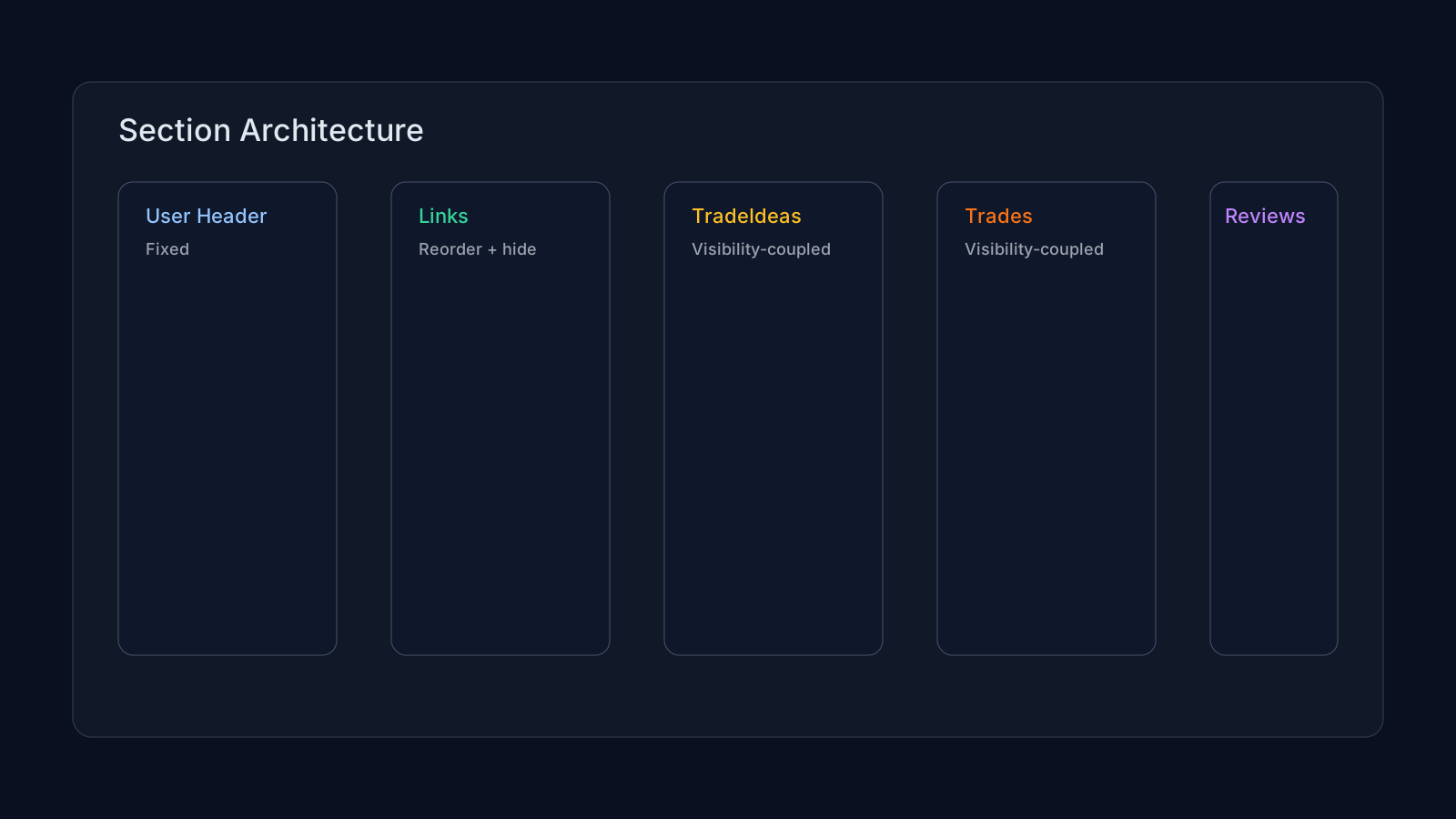
2) Section architecture matters
Treating sections as composable units (instead of one giant page) made it easier to:
- reorder and hide sections
- add new section types
- evolve routing for list pages like
/u/[username]/tradeideas
3) Public views need their own UX
Summary cards are useful on profile dashboards, but list-heavy routes need full-page list layouts. We now support both patterns depending on route intent.
What is next
Next iterations include:
- deeper strategy sharing controls
- richer profile storytelling blocks
- improved cross-linking between profile content and journal analytics
Want more build logs like this? We will keep publishing implementation notes directly from product work.